

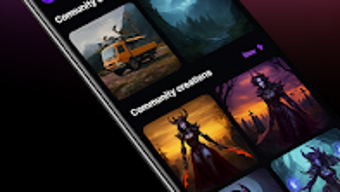
Description
Download ImageFX – AI image generator, text to image, AI art, generate images from text, AI tool, image creation software
Overview
ImageFX is an AI-powered image generation tool designed to convert descriptive text prompts into high-quality visual content. Built on Google’s advanced Imagen 3 model, the application enables users to create photorealistic images with minimal input. The software is tailored for individuals seeking a fast, intuitive way to generate original visuals without requiring design or technical skills. Target users include content creators, digital artists, marketers, and hobbyists who need to produce compelling imagery for social media, storytelling, or personal projects. The app operates entirely on Android devices, making it accessible to users who prefer mobile-first workflows. While the developer, ImageFX Inc., has not provided detailed information about its background or history, the app’s consistent updates and free availability suggest a commitment to user accessibility and feature expansion. Real-world use cases include generating concept art, promotional visuals, and creative illustrations directly from written descriptions, streamlining the visual ideation process across multiple industries.
Key Features & Capabilities
- Text-to-Image Generation: Users can input descriptive text to generate unique, high-resolution images. This feature supports creative expression through natural language, allowing for precise visual outcomes based on prompt clarity.
- Imagen 3 Integration: The application leverages Google’s Imagen 3 model, known for producing photorealistic and contextually accurate visuals, enhancing output quality and realism.
- Expressive Chips: A unique interface element that enables users to modify image style, mood, and tone. These customizable filters allow for rapid iteration and stylistic diversity without altering the original prompt.
- Mobile-First Design: Optimized for Android devices, the app ensures smooth performance and intuitive navigation on smartphones and tablets, ideal for on-the-go creativity.
- Free Access: The software is available at no cost, removing financial barriers to entry and enabling broad adoption across different user groups.
These features collectively support efficient visual ideation, allowing users to experiment with concepts, test branding assets, or develop storyboards without complex software. For example, a social media manager could generate a series of campaign visuals by typing brief descriptions, while a writer might create cover art for a story using a single prompt.
User Interface, Workflow & Performance
The user interface of ImageFX is designed for simplicity and speed, prioritizing ease of use across all user skill levels. The main screen features a clean text input field, immediate preview options, and clearly labeled controls for applying Expressive Chips. Navigation is linear and intuitive, guiding users through the image creation process in a few steps. The workflow begins with entering a prompt, followed by selecting stylistic modifiers, and concludes with image generation and saving. The developer did not specify resource usage details, so performance behavior in terms of CPU or RAM consumption remains unknown. However, based on general software behavior patterns, the app likely manages background processing efficiently to maintain responsiveness during image rendering. Stability appears consistent, as the application receives regular updates, indicating ongoing maintenance and bug resolution. No reported issues with crashes or freezes were mentioned in the provided information.
Compatibility & System Requirements
ImageFX is designed exclusively for Android devices. The application is compatible with Android operating systems, though specific version requirements were not listed. The installation size is 35 MB, which suggests a lightweight footprint suitable for devices with limited storage. The developer did not provide additional system requirements, including minimum RAM, processor specifications, or storage needs. Compatibility information was partially provided, leaving users to rely on general Android device capabilities. No support for desktop platforms such as Windows or Mac was mentioned. Users should verify compatibility with their specific device model and Android version before installation.
Pros and Cons
Pros
- Free to use with no hidden costs or subscriptions
- High-quality image generation powered by Google’s Imagen 3 model
- Intuitive interface suitable for beginners and non-designers
- Expressive Chips allow for quick style customization without rewriting prompts
- Regular updates suggest active development and long-term support
Cons
- No information on minimum system requirements or device compatibility beyond Android
- Limited to Android platform; no desktop or web version available
- Exact performance metrics such as RAM or CPU usage were not specified
- Availability restricted to the Google Play Store, limiting access for some users
- Dependence on internet connectivity for image generation
FAQ Section
Is ImageFX available for Windows or Mac?
Currently, ImageFX is designed exclusively for Android devices. There is no desktop version available for Windows or Mac.
Is ImageFX safe to download and use?
ImageFX is available through the Google Play Store, which provides a secure distribution channel. The app is free and does not require sensitive permissions beyond standard image access.
How often are updates released?
The software receives continuous updates, as noted in the product description. These updates likely include new features, performance improvements, and bug fixes.
Does ImageFX require an internet connection?
Yes, image generation relies on cloud-based AI processing, meaning a stable internet connection is required during use.
What type of license does ImageFX use?
ImageFX is offered as a free application with no licensing fees. The developer has not specified a formal license type beyond its public availability.
Final Thoughts
ImageFX stands out as a powerful, accessible tool for anyone looking to generate AI-driven visuals from text. Its integration with Google’s Imagen 3 model ensures high-quality outputs, while the Expressive Chips feature adds a layer of creative control that enhances user experience. The mobile-first approach makes it ideal for users who value portability and instant access to image creation tools. Although the lack of desktop support and limited system details may restrict some users, the app’s free model and consistent updates make it a compelling choice for content creators, marketers, and hobbyists. For those seeking a reliable, no-cost solution to bring ideas to life visually, ImageFX delivers on its promise. Download ImageFX now.
Guides & Tutorials for ImageFX AI Image Generator
How to install ImageFX AI Image Generator
- Click the Preview / Download button above.
- Once redirected, accept the terms and click Install.
- Wait for the ImageFX AI Image Generator download to finish on your device.
How to use ImageFX AI Image Generator
This software is primarily used for its core features described above. Open the app after installation to explore its capabilities.
User Reviews for ImageFX AI Image Generator 0
No reviews found





